Most organizations have more AI in production than their inventory shows, and much of it was never purchased. It arrived as a release note: an assistant in the CRM sidebar, a summarize button in the document editor, a reply drafter in the ticketing tool, a recap feature in chat. The vendor is one you approved years ago. The feature changes the risk you approved, and a standard questionnaire usually catches none of the change.
Picture a fictional 3,000-person engineering firm. In one month its helpdesk vendor enabled an AI reply drafter, its CRM vendor launched an account-summary assistant, and its document platform added an assistant that answers questions across the whole workspace. None went through review, and two were on by default for every user.
Treat each feature like a new vendor without turning it into a six-month procurement exercise. You cannot inspect the vendor's systems, so the work is asking precise questions, recognizing weak answers, testing the few things you can test from your own tenant, and holding the vendor to the strong answers in writing. The checklist below is in the order the work should happen.
What the feature changed
- Reach. An assistant typically retrieves across everything the signed-in user can see. Permissions that were loose but harmless when finding a file took effort become a problem when a question returns the answer in seconds.
- Destinations. Prompts and retrieved content go to a model, often operated by a subprocessor you have never assessed, possibly in a region you did not agree to, with its own retention.
- Control. Anyone who can put content into your tenant, such as an external sender, a guest editing a shared document or a customer filing a ticket, can now address instructions to a model that acts for your users.
1. Get the data path in writing, hop by hop
Why: every later question depends on it. Ask the vendor to describe, in writing, each system your data passes through when a user invokes the feature, and what is stored at each step.
Your data moves from the SaaS app through the vendor's AI layer to a model subprocessor, and copies can persist in app storage, prompt logs, abuse monitoring and subprocessor retention. Shared documents and inbound email feed the AI layer from outside your organization.
There are usually four places a copy can live. App storage holds the feature's outputs, such as summaries and drafts, often as new records with their own retention. Prompt logs hold the assembled prompts, including retrieved content, which the vendor may keep for debugging or quality review. Abuse monitoring is the copy most often missed: model providers commonly keep prompts and outputs for a period to detect misuse, separately from any zero-retention promise for the main path. Subprocessor retention covers whatever the model provider keeps under its own terms.
How to check: compare the answer against OWASP's Sensitive Information Disclosure entry, which recommends clear policies on data retention, usage and deletion, and letting users opt out of having their data used for training [2]. Treat that as the floor of what a vendor should be able to state. An answer that covers the main app and stops there has skipped the hop you most need described.
2. Send ten questions, and grade the four that decide
Why: a completed questionnaire tells you the vendor responded, not whether the answers are good enough for people who handle sensitive data. Send these as a short addendum scoped to the specific feature, and ask for written answers with documentation links, not a call.
| Area | Question | Good answer | Red flag |
|---|---|---|---|
| Data reach | What can the feature read when a user invokes it? | Only content the invoking user can already access, with admin-configurable source exclusions | Content across the tenant, or a service account with broader reach than the user |
| Training use | Is our data, including prompts and outputs, used to train or improve any model? | Never, stated in the contract and covering subprocessors | A statement that data may be used, or an undefined product-improvement carve-out |
| Model subprocessors | Which model providers receive our data, and where? | Named providers and processing regions, listed before launch, with notice of changes | A generic reference to industry-leading AI partners, with no names or regions |
| Retention | What is stored, where, and for how long, at each hop? | A per-hop table, including prompt logs and abuse monitoring, with deletion on request | Undefined, or described only for the main app |
| Tenant isolation | How are retrieval indexes, caches and logs separated between customers? | Per-tenant indexes and keys, tested, with results available under NDA | Shared indexes with filtering applied only at query time and no testing evidence |
| Prompt injection | How do you handle instructions in content from outside our organization? | Content provenance, output link and image restrictions, confirmation for actions, and an injection test program | Reliance on the model refusing harmful requests |
| Admin controls | Can we enable it per group and exclude data sources? | Per-group enablement, per-source scoping, and default off for new capabilities | On for everyone, with no way to scope it, or re-enabled by default with each release |
| Audit logs | Which events are logged, and can we export them? | Invocations, sources retrieved and actions taken, exportable to our SIEM | Usage counts only, or logs that cannot be exported |
| Incident notification | Do AI-specific incidents fall under your breach notification terms? | Yes, including exposure through prompt injection, within the contractual window | AI features excluded or described as beta without commitments |
| Model changes | Will you notify us before changing the model or provider? | Advance notice with a description of material changes | Changes made silently as part of continuous delivery |
Four answers decide the most, and each has a middle ground between the red flag and the strong answer. On training use, an available opt-out is acceptable and a contractual never is strong. On retention, a fixed window for abuse-monitoring copies is acceptable and zero retention or a period you set is strong. On subprocessors, a named list is acceptable and a named list with regions and change notice is strong. On admin controls, an org-wide off switch is acceptable and scoping per group and per data type is strong.
Example answers for training use, retention, subprocessors and admin controls, from red flag through acceptable to strong. Ask for the strong answer in writing; an opt-out or an org-wide off switch is acceptable, not strong.
How to use the grade: make enablement depend on it. Any red flag keeps the feature off for groups that handle restricted data until it is resolved. All acceptable means a scoped rollout with logging. Strong answers on training use and retention are the minimum before the feature reaches anyone who handles customer personal data. A document assistant with strong answers on admin controls and training use but a red flag on retention can go to marketing and stay off for finance and legal pending a contract change.
3. Ask what stops outsiders from steering the assistant
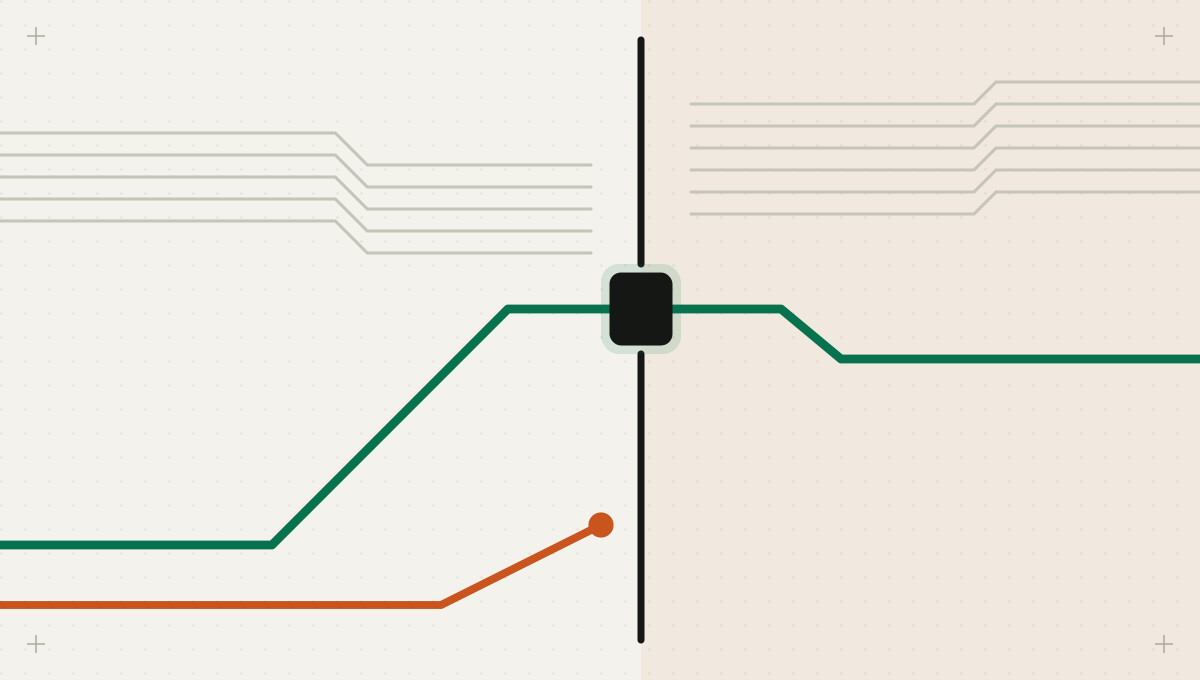
Why: the new threat is not the vendor misusing your data. It is outsiders steering the assistant through content that lands in your tenant. Indirect prompt injection occurs when a model takes in content from external sources, such as websites or files, that contains instructions [1]. In a SaaS tenant those sources include inbound email, shared documents, ticket bodies, calendar invitations and chat messages from external guests.
The canonical example is CVE-2025-32711, published by NVD in June 2025 and widely known as EchoLeak. Its description reads: “AI command injection in M365 Copilot allows an unauthorized attacker to disclose information over a network” [3]. Microsoft, the reporting authority, scored it 9.3 critical, and NVD tags it as affecting an exclusively hosted service, meaning the fix was made in Microsoft's service rather than by customers applying a patch [3]. The lesson is not that one product had a flaw. An assistant with broad reach, untrusted input in the same context and a way to send output elsewhere forms an exfiltration path, and only the vendor can close it.
So ask specifically. Does the vendor mark retrieved content as untrusted and separate it from the user's request? Does it restrict links and images in the assistant's output, which can carry data to outside servers when rendered? Can the assistant send mail or share files, and does a person confirm those actions? How does the vendor test for injection and handle reports? A vendor that answers only that its model is aligned to refuse malicious requests has not answered.
How to test: send an email or share a document into a pilot tenant containing a benign, clearly labeled instruction, such as asking the assistant to append a fixed phrase to its summary. If the phrase appears, the vendor's separation of content from instructions is weaker than described, and you have a concrete finding to raise.
4. Scope it to a pilot group before anyone else gets it
Why: enablement is a configuration change you own, not a vendor decision you inherit. Confirm each of these by testing, not by reading documentation.
- Turn the feature off tenant-wide, then enable it for a pilot group. Confirm users outside the group cannot invoke it through any surface, including mobile apps and integrations.
- Exclude sensitive sources, such as HR folders, legal workspaces and executive channels, and confirm with a test question that the assistant cannot retrieve from them.
- Disable web grounding, third-party plugins and connectors unless there is a specific need, because each adds inputs and destinations.
- Fix the oversharing the assistant will expose. Review the pilot group's accessible content first; the assistant makes existing access mistakes faster to exploit.
5. Make the vendor's audit logs yours
Why: usage counts tell you the feature is popular, not what it read or did. Confirm that events for invocation, retrieved sources and actions reach your SIEM, and write one detection: assistant output containing an external link or image in response to content from outside the organization. Then set a review trigger, so a vendor release that adds a new AI capability reopens the review for that capability.
6. Turn the answers into obligations
Why: documentation can change without notice; a contract cannot. NIST SP 800-161 treats supply chain risk as something to identify, assess and mitigate throughout the life of a product or service [4], and the NIST AI RMF calls for policies and procedures that address AI risks from third-party entities [5]. Both point the same way.
- Customer data, prompts and outputs will not be used to train or improve any model, including by subprocessors, without written consent.
- The vendor will list all AI subprocessors and processing regions and give advance notice of additions or changes, with a right to object.
- Retention periods for prompts, outputs and abuse-monitoring copies are stated, and deletion on request covers every copy.
- New AI capabilities are delivered off by default for this tenant, or with advance notice before default enablement.
- Security incidents involving AI features, including data exposure through prompt injection, fall under the standard notification terms.
- Audit logs for AI feature use are available for export for the agreed retention period.
Expect resistance on default-off and advance notice, because vendors ship AI features often. A reasonable compromise is a tenant-level setting that holds new AI capabilities off until an admin enables them; ask whether one exists before you ask for a clause.
Your gateway cannot see inside the vendor
AI calls a SaaS vendor makes inside its own service do not pass through your gateway, so the vendor's controls and your contract carry that risk. Intertrace helps at the edges you control. Its read-only discovery reports identity-provider AI-app grants and AI usage in your repositories, which surfaces embedded features you have not reviewed. When your own agents reach SaaS systems through MCP or APIs routed through it, PII and secrets detection applies to requests, responses and tool-call arguments, and outbound messages ask a person first.
Some vendors will commit to none of this. That is still a decision, and someone has to make it on the record: write it down as an accepted risk with a named owner, and keep the feature away from the groups whose data you could not get a strong answer about.